

Key takeaways
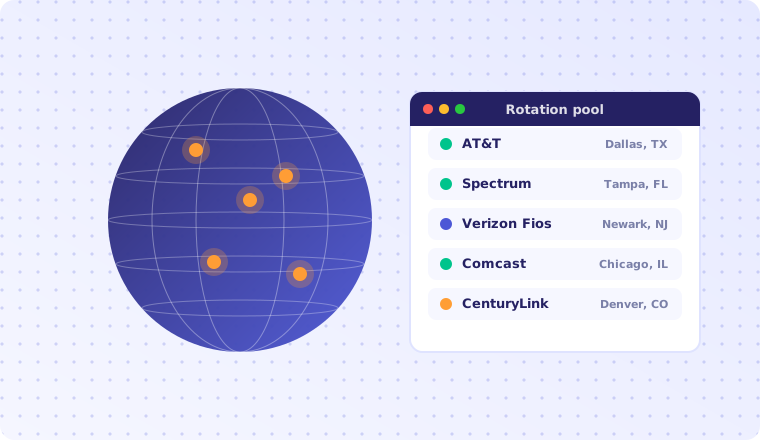
- A residential RDP is a full Windows desktop whose public IP address is issued by a consumer ISP such as AT&T, Spectrum or CenturyLink — not by a hosting datacentre.
- The difference is almost entirely about IP reputation: the same software behaves very differently when it arrives from an address block that looks like a household.
- For interactive work, latency and jitter matter far more than raw CPU. Anything under 40 ms round-trip feels local; above 120 ms typing starts to lag.
- 4 GB of RAM covers a browser and two or three tools. Plan 8 GB the moment you run several browser profiles side by side.
- Residential IPs are a compliance tool, not a shield. Nothing here removes your obligation to respect a site's terms of service or local law.
Ask ten people what a "residential RDP" is and you will get ten answers, most of them wrong. Some think it is a VPN with extra steps. Some think it is a hacked home computer. Neither is right, and the confusion costs teams real money — either because they buy the wrong product, or because they buy the right product and then use it in a way that guarantees it will be blocked within a week.
This guide explains what a residential RDP actually is at the network level, when it is the correct tool, when a plain VPS is cheaper and better, and how to evaluate a provider without taking anyone's marketing at face value.
What a residential RDP actually is
RDP is Microsoft's Remote Desktop Protocol. It has been part of Windows since Windows NT 4.0 Terminal Server Edition in 1998, and it does one job: it streams the graphical desktop of a remote Windows machine to your screen, and streams your keyboard, mouse, clipboard and (optionally) printers and drives back the other way. Modern implementations negotiate a codec per region of the screen, so text areas are sent as lossless bitmaps while video regions fall back to something closer to H.264.
The "residential" half has nothing to do with the protocol. It describes where the machine's public IP address comes from. Every IP address on the internet belongs to an autonomous system (AS) — a network operator that announces routes for that block via BGP. Regional registries such as ARIN publish who holds each range. Any observer can therefore look at an incoming connection and answer, with reasonable confidence, one question: does this address belong to a consumer broadband operator or to a hosting company?
A conventional cloud desktop lives behind an AS registered to a hosting provider. A residential RDP lives behind an AS registered to a consumer ISP. Both run identical Windows builds. Both may sit in the same physical rack. The difference is purely in what the registry says about the address — and that single data point is enough to change how a large part of the internet treats your traffic.
The IP reputation problem
Every serious platform on the internet scores incoming connections before it decides whether to serve you, challenge you, or refuse you. IP reputation is one of the heaviest inputs to that score, and it is built from signals like these:
- ASN class. Is the announcing network a hosting provider, a mobile carrier, a fixed-line ISP, a university, a government body?
- Historical abuse. How many spam reports, credential-stuffing attempts or scraper signatures have originated from this /24 in the last 90 days?
- Density. How many distinct accounts, sessions or fingerprints have appeared from this single address recently? A household typically shows a handful. A datacentre address can show thousands.
- Consistency. Does the address's claimed geolocation match its latency to nearby probes, its timezone and its language headers?
- Rotation velocity. Does the same account jump between addresses faster than a human could physically travel?
Datacentre ranges lose on nearly all of these by construction. They are dense, they are cheap to rent by the hour, and therefore they attract a disproportionate share of automated abuse. Anti-fraud vendors respond by discounting them wholesale. The practical result is familiar: the same script that runs flawlessly from your office laptop hits a CAPTCHA wall the moment you move it to a cloud instance.
A residential address inverts most of those signals. It sits in a range where the expected behaviour is one household with a handful of devices, its geolocation is usually accurate to the metro area, and its abuse history is comparatively clean. That is the entire value proposition — and it is also why residential capacity costs an order of magnitude more per gigabyte than datacentre capacity.
Why not just use a residential proxy?
Often you should. If your workload is a script, a residential proxy is cheaper and easier to scale: you keep your own machine and route only the HTTP traffic. You need a residential RDP when the work is genuinely interactive or when the software refuses to cooperate with a proxy:
- Desktop applications with no proxy support, or ones that leak DNS around the proxy.
- Work that must persist between sessions — browser profiles, cookies, saved logins, a fixed device fingerprint.
- Teams that need a shared, auditable environment rather than software installed on personal laptops.
- Anything where the exit IP must stay stable for weeks, because rotating addresses would look like account takeover.
We compare the two families in detail in our guide to residential versus datacentre proxies.
Anatomy of a residential RDP session
It helps to see the whole path. A well-built residential RDP is four layers deep:
- The client. Your machine, running
mstsc.exeon Windows, Microsoft Remote Desktop on macOS, or FreeRDP/Remmina on Linux. It opens TCP 3389 (and optionally UDP 3389 for the low-latency transport) to the gateway. - The gateway. A hardened entry point that terminates TLS, enforces multi-factor authentication and forwards the session inward. Exposing 3389 straight to the internet is the single most common cause of compromised RDP hosts; a gateway removes that exposure.
- The desktop. A Windows 10 or Windows 11 instance with a dedicated vCPU allocation, guaranteed RAM and NVMe-backed storage. This is where your browser and tools actually run.
- The egress. The route that carries the desktop's outbound traffic to a consumer ISP circuit, so that the world sees a residential address rather than the datacentre's own range.
That last layer is what separates providers. Ask exactly how egress is delivered, because the honest answers vary enormously in quality and in ethics. Legitimate approaches include ISP circuits terminated in a facility under a commercial agreement, or capacity resold from a partner ISP. The approach you want to avoid is capacity harvested from consumer devices whose owners were never meaningfully informed — it is unstable, it is ethically indefensible, and it exposes you to whatever else is happening on that device.
Sizing: what specification do you actually need?
Buyers routinely overspend on CPU and underspend on memory and network quality. Here is what each resource actually buys you in an interactive Windows session.
| Resource | What it affects | Sensible starting point |
|---|---|---|
| vCPU | Page rendering, JavaScript execution, video decode | 4 vCPU for one browser; 6+ for several profiles or media work |
| RAM | Number of tabs, profiles and background apps before swapping | 4 GB minimum, 8 GB if you run more than two browser profiles |
| Storage | Boot time, profile loading, temp files | 60 GB NVMe/SSD; avoid spinning disks entirely |
| Bandwidth | Page load time and how much data you can move per month | 100 Mbps port; check whether transfer is metered |
| Latency | How the session feels — typing, scrolling, dragging | Under 40 ms round-trip from where you sit |
Latency is the specification nobody quotes
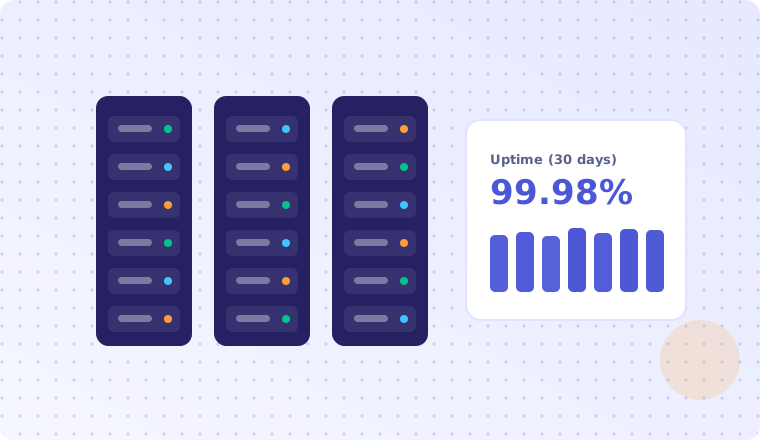
Round-trip time governs perceived responsiveness more than any other number. Under 40 ms the session feels like a local machine. Between 40 and 80 ms it feels slightly soft but perfectly workable. Past roughly 120 ms, the gap between pressing a key and seeing the character becomes conscious, and productive work suffers.
Jitter matters just as much. A connection that averages 50 ms but spikes to 300 ms twice a minute is far more unpleasant than a steady 90 ms line. Before committing to a long contract, run ping and tracert against the target region for a full working day and look at the variance, not the average.
# Windows: 200 pings, then read the summary line
ping -n 200 <host>

# Linux/macOS: watch mdev (jitter) as well as avg
ping -c 200 <host>

# Where does the path degrade?
tracert <host>        # Windows
mtr --report <host>    # Linux
Legitimate use cases
Residential RDP earns its price in situations where being treated as an ordinary household user is a genuine requirement of the job:
- Ad verification. Confirming that your campaigns actually render for real users in a given city, and catching affiliate fraud that hides itself from datacentre traffic.
- Price and availability monitoring. Retailers and travel sites routinely serve different inventory to datacentre ranges. Consumer-grade egress is the only way to see what customers see.
- Brand protection. Finding counterfeit listings and unauthorised resellers that are cloaked against known corporate ranges.
- Localisation and QA testing. Verifying that a checkout flow, currency, tax calculation or content restriction behaves correctly for a user in a specific market.
- Remote work on a fixed identity. Distributed teams that must reach an internal system from a consistent, whitelisted address.
- SEO and SERP research. Search results are heavily personalised by location and network; a residential vantage point gives a more honest picture.
What it will not do
Be equally clear about the limits. A residential IP address changes one signal out of dozens. It does nothing about your browser fingerprint, your cookie state, your behavioural timing, or the account history attached to whatever you log into. Modern detection stacks correlate all of these. Buying residential egress and then driving it with a headless browser that reports a 1×1 viewport and executes 40 requests per second will not help you.
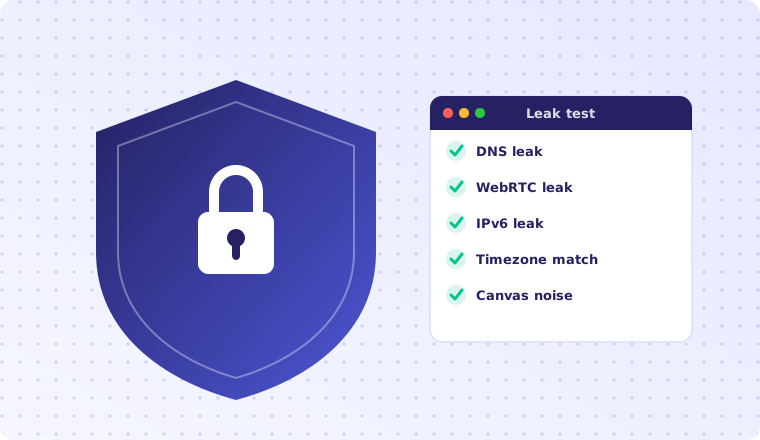
It also confers no legal privilege. Terms of service still apply, data-protection law still applies, and "the traffic looked residential" has never been a defence. Our article on proxy security and anonymity goes through the leaks and fingerprint signals that undo most setups.
A twelve-point provider checklist
Marketing pages converge on the same adjectives, so evaluate on facts you can verify:
- Named ISP and metro. "US residential" is not an answer. "Spectrum, Tampa FL" is.
- Address stability. How long is the IP held? Does it change on reboot?
- Exclusivity. Is the address shared with other customers concurrently, or is it yours alone?
- Blacklist state at handover. Ask for the address before payment, or for a refund window if it is already listed.
- Guaranteed vs burstable RAM. "Up to 4 GB" is not 4 GB.
- Storage type. NVMe, SSD or SATA — and is it shared?
- Transfer policy. Unmetered, capped, or throttled after a threshold?
- Gateway and MFA. Is 3389 exposed directly? It should not be.
- Windows licensing. Who holds the licence, and is activation legitimate?
- Snapshot and rebuild. How fast can you get a clean machine back?
- Support response time, in writing, with a channel that is staffed at your working hours.
- Refund and replacement policy if the address turns out to be unusable for your target.
Pricing and total cost of ownership
Residential RDP typically lands between $35 and $80 per month per desktop, against $8 to $25 for an equivalent datacentre VPS. The premium is not the Windows licence or the hardware; it is the cost of the residential circuit and the operational work of keeping addresses clean.
When you compare quotes, normalise for the things that are easy to hide:
| Line item | Frequently excluded | Ask |
|---|---|---|
| Setup fee | Charged separately on first invoice | Is the first month's total different from the recurring total? |
| IP replacement | Billed per swap after the first | How many free replacements per month? |
| Overage | Per-GB charge past a soft cap | What is the cap and the per-GB rate above it? |
| Snapshots | Charged per GB per month | Are two rolling snapshots included? |
| Extra RAM | Only available on a higher tier | Can I upgrade mid-term without rebuilding? |
Our own tiers, terms and add-on pricing are laid out on the pricing page, and every plan can be configured with a term discount on the order page.
Five mistakes that burn a good IP
- Treating one address as infinite capacity. A household does not open 500 sessions an hour. Match your volume to what the address plausibly represents, or move that workload to a rotating proxy pool.
- Mixing unrelated identities on one desktop. Shared cookie jars and a shared fingerprint link everything you do. Use separate browser profiles, or separate machines.
- Ignoring the fingerprint. A residential IP paired with a timezone, locale and font set that scream "server in another country" is a contradiction that detection systems are specifically built to notice.
- Leaving RDP exposed. Internet-facing 3389 with password authentication is scanned continuously. Use a gateway, enforce MFA, and restrict source addresses.
- Skipping the reputation check at handover. Always verify the address against the blocklists that matter to your targets before you build anything on top of it.
Frequently asked questions
Is using a residential RDP legal?
Renting a remote Windows desktop is legal in essentially every jurisdiction, and so is browsing from a consumer IP address. What matters is what you do with it: the same activity that would be lawful from your home connection is lawful from a residential RDP, and the same activity that would breach a contract or a statute still does. If you are operating in a regulated field, take advice specific to your jurisdiction — this article is general information, not legal advice.
Will a residential RDP defeat CAPTCHAs?
It reduces one common trigger. Challenge systems also weigh browser fingerprint, mouse and timing behaviour, request cadence and account history. Expect a meaningful drop in challenge rate, not a clean sweep.
How is this different from a VPN?
A VPN tunnels your device's traffic through a remote exit; you still run everything locally. A residential RDP gives you a whole separate Windows machine that lives at the far end. The remote desktop has its own storage, its own installed software and its own persistent identity.
Can several people share one residential RDP?
Technically yes, but a standard Windows client licence permits a single interactive session at a time, so a second sign-in disconnects the first. For genuine multi-user access you want either separate desktops or a Windows Server host with the appropriate RDS licensing.
What happens if the IP address gets blocked?
Ask before you buy. A reasonable provider will replace an address that arrives already listed, and will replace it again if it is blocked through no fault of yours. Unlimited free swaps are not realistic — replacement capacity has a real cost — but one or two per month is a fair expectation.
Where to go next
If your workload is scripted and high volume, start with proxies and only move to a full desktop if the software forces you to. If your workload is interactive, persistent, or lives in an application that will not respect proxy settings, a residential RDP is the right shape of tool — and the checklist above will keep you from overpaying for it.
When you are ready to configure a machine, the RDP setup and hardening checklist walks through the first hour on a new desktop, from gateway configuration to browser profile isolation.